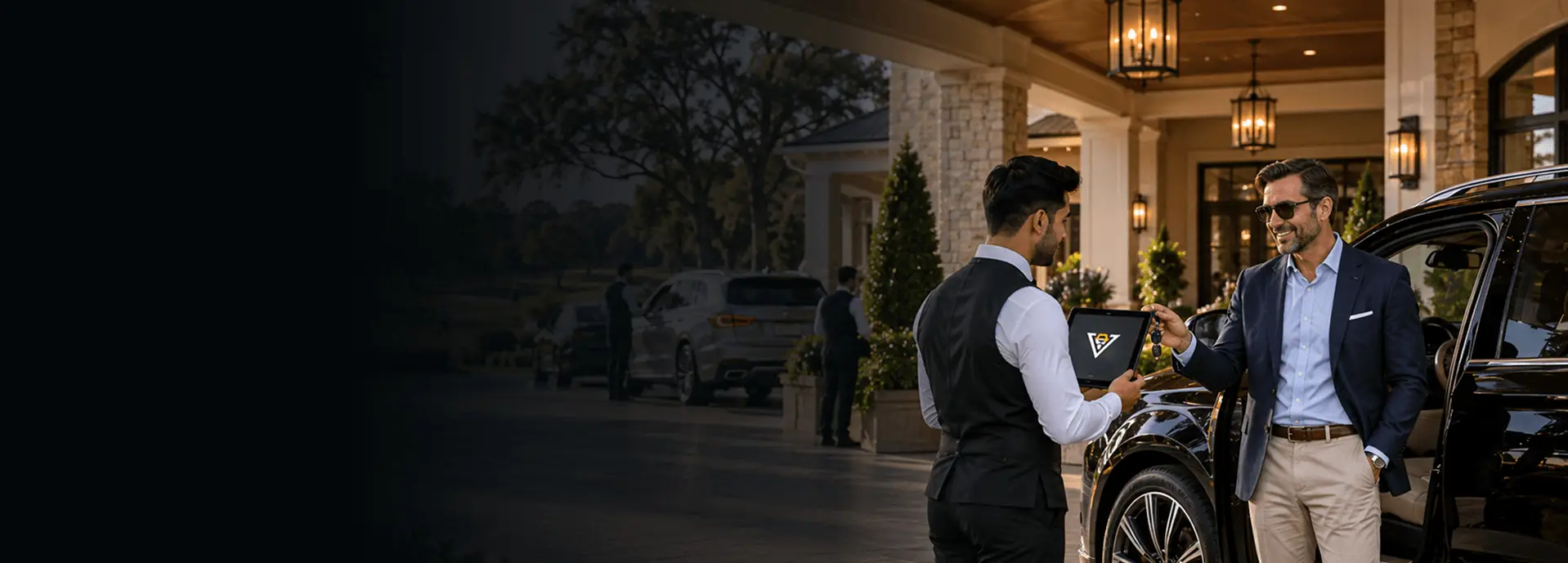
Country club valet parking software that knows every member
A member who has paid an initiation fee does not want to be handed a numbered stub. They want to be greeted by name, twice a day, every day, at the morning tee time and again at dinner. ValeKit is country club valet parking software that puts the member's name, their car, and their history on the attendant's screen before the door opens.
Why club valet still runs on a clipboard and a key box
Club valet runs on a clipboard because it has always worked well enough at eleven in the morning. It stops working at the two moments that matter. From dawn until the last tee time, cars arrive in a wave and the lot fills back to front. Then the lot empties, and at six the whole thing happens again for dinner, with a different crew, a different set of cars, and the same key box. A numbered stub is fine at a parking garage. At a club where the member knows the general manager's first name, being handed a number is a small, daily reminder that the club does not know who they are.
The ChallengeThe key box is the other half of the problem. A hook with a paper tag tells you nothing about which car it belongs to, where that car is parked, or who moved it last. On a normal Tuesday the crew carries that in their heads. On the day of the member-guest, or a gala, or a member's daughter's wedding, the crew is half seasonal staff, the lot is parked two deep in lanes that are usually single file, and nothing is in anyone's head. Those are the days a club's reputation is actually made, and they are precisely the days the clipboard gives out.
Club lots are also tight in a way hotel garages are not. There is a portico, a member field, an overflow field that is a fairway on ordinary days, and a service lane that has to stay clear. Parking two deep is the only way the numbers work at capacity, but tandem parking without a record of what sits where turns every retrieval into a search.
a day at a club: the morning tee sheet and the evening dining seatings
digital records when the stand runs on a numbered stub and a key box
at many clubs, so the stand needs a way to record the charge instead of taking cash
How country club valet parking software works
Country club valet parking software replaces the stub and the key box with a digital ticket. The attendant points a phone at the member's car, AI reads the plate, make, model, and color, and a phone number pulls up that member's saved vehicles, past visits, and VIP badge. The ticket records the zone, the parking spot, and the key slot when the car is parked. When the member is ready, they tap a link that was texted to them and every attendant assigned to that location is notified at once. Payment is taken by card through Stripe, or recorded as a charge to the member's account or the front desk. ValeKit runs one clubhouse or a whole property with the golf, tennis, and pool operations set up as separate locations under one account.
The guest journey
Every touchpoint designed for speed, transparency, and a premium experience your guests will remember.
Member pulls up at the portico
The attendant enters the member's phone number and their saved vehicles, visit history, and VIP badge appear. AI reads the plate, make, model, and color. Condition photos are captured and a digital ticket is created before the member is out of the car.
Check-inGets a tracking link
A text goes out with a link that works in any browser. No app, no account, and it does not expire. The member can check the car's status from the first tee or the grill room. A QR share link on the ticket covers a guest driving the car out instead.
NotificationCar is parked and recorded
The attendant records the zone, the parking spot, and the key slot on the ticket. In a stacked lane, the car's position in the stack goes on too, so the next attendant knows what sits in front of it.
ParkingRequests from the grill room
One tap on the link. Every attendant assigned to that location is notified at once with the vehicle, the zone, the spot, and the key slot, so whoever is free starts walking. No radio calls across the lot.
RetrievalWaiting under the portico
The car is brought to the staging area while the member is still saying goodbye at the door. Live status moves from requested to pulling to ready on their phone.
DeliveryCharged to the account
The attendant records the charge to the member's account or the front desk, or takes a card through Stripe where the club prefers it. A digital receipt goes out by text. If ratings are switched on, the member can leave one.
PaymentBuilt for your operation
Four pillars that cover every stage of the valet operation, from the moment a vehicle arrives to the moment it leaves.
Member check-in
Phone lookup surfaces saved vehicles and the VIP badge. AI captures the plate, make, model, and color. Condition photos are timestamped and attributed. It all works with no signal in the far field.
Explore check-in→Retrieval from anywhere on the property
The member taps the link texted at check-in. Every attendant assigned to that location gets the request at once, carrying the zone, the spot, and the key slot. Status runs requested, pulling, ready.
Explore retrieval→Zones, spots, and stacked lanes
Name the zones your property actually has, set capacity and amenity flags, and turn stacking on for the lanes that hold more than one car. Live occupancy on the dashboard as the wave arrives.
Explore parking→Member account charges and Stripe
Record the charge to the member's account or the front desk, or take a card through Stripe. Event, flat, and tiered rates per location. Digital receipts by SMS on every transaction.
Explore payments→What no one else does
Capabilities built for how a club actually runs: two peaks a day, members who expect to be known, and the handful of days a year that make the reputation.
Recognition by phone, not by ticket number
A phone number returns the member's saved vehicles, their visit history, and their VIP badge before the car door opens. The attendant picks the car from a list and uses a name. Nothing about the arrival feels like a parking garage.
Charge to the account without a cash drawer
Account and front-desk charge are real payment methods on the ticket, so a no-tip club can run the stand with no cash and no card terminal, and still hand your controller an itemized record of what was charged and by whom.
Surge days configured, not improvised
Set the event rate, add the overflow zones and the second staging area, assign the extra attendants, and watch live occupancy as the field fills. The tournament is planned in the system a week out rather than solved in the drive on the morning.
Stacked lanes with a position per car
Club lots park two and three deep at capacity. Turn stacking on for those lanes, set the depth, and every ticket records where its car sits in the stack, so an attendant knows the shuffle before they walk out instead of discovering it in the field.
See ValeKit set up for your club
A 30-minute walkthrough of check-in, retrieval, and payments, built around how your club runs valet. We reply within 1 business day.
What ValeKit is built to deliver
Design targets for a club running ValeKit, not averages from a customer roster.
Vehicle check-in
AI captures plate, make, model, and color, no typing
Member recognized
Phone lookup returns saved vehicles, visit history, and the VIP badge
Of charges recorded digitally
Card, cash, account, and front desk, all on the ticket
Ticket lifecycle
Every status change logged with a full audit trail
Everything included
Every plan includes the full platform. No feature gates, no add-on pricing.
Member Arrival
The Lot
Retrieval & Payment
Running the Club
Common questions
How does the valet know a member's name before they open the door?
Can members book valet in advance for a tournament or an event?
Can charges go to the member's account instead of a card at the stand?
Our lot fills back to front and we park two deep. Does that work?
Half our property has no cell signal. Will the app still work?
How does a member request their car from the course or the dining room?
We run the clubhouse, the golf shop, tennis, and the pool. Can they be separate?
What happens when a member says the scratch was not there before?
Explore more
Check-in
→Returning members recognized by phone before the door opens.
SolutionGuest Experience
→Concierge-level service for tee-time arrivals and member dinners.
IndustryPrivate Clubs
→The same recognition-first approach built for marinas and yacht clubs.
IndustryWedding Venues
→How member-hosted events and tournament surges get the same surge-ready handling.
GuideValet Staffing Models
→Compare in-house, outsourced, and hybrid staffing for tournament surges.